Partnering Listings
Last updated: October 20, 2026
Partnering listings help innovators showcase technologies, products, services, or research that are ready for industry partnership. Listings are designed to make your work easy for industry sponsors to discover, evaluate, and engage with.
Each listing is associated with your organization, appears on your public profile, and is surfaced in relevant industry partner feeds—giving your work greater visibility with the right audience.
📄 How to write a strong partnering listing for each listing type
Why use partnering listings
Partnering listings are built to help you clearly communicate the value and readiness of your work to potential industry partners.
They give you a structured way to:
Surface your solutions to industry partners actively looking for innovation
Highlight technical details and readiness in a format industry partners can scan quickly
Signal how and where you’re open to partnering
Well-written listings make it easier for industry partners to understand fit and take the next step.
Each listing:
Is tied to your organization
Appears on your public profile
Shows in relevant industry partner feeds
Featured listings
A featured listing gives your partnering listing priority placement across Halo, making it easier for the right industry partners to find your work.
Featured listings appear at the top of relevant search results, solution feeds, institution pages, and email digests, and are marked with a Featured badge. They also support attachments and related resource links, so you can surface supporting documents — like spec sheets, one-pagers, or case studies — directly on your listing.
Up to three relevant featured listings appear at the top of any given search result, with one slot available per organization.
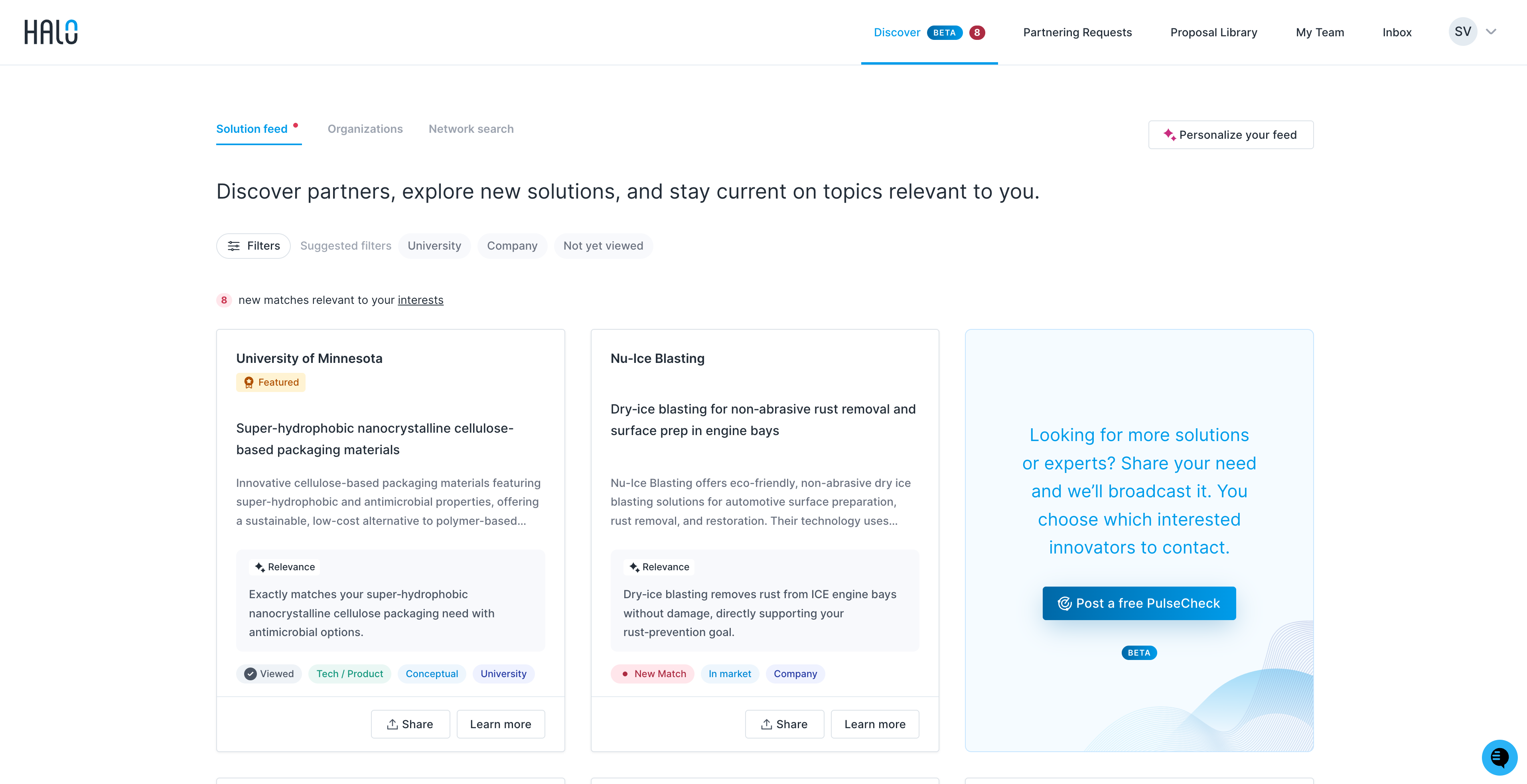
The Featured badge also appears on listing cards shown on an innovator's profile page, so your listing stands out wherever it's surfaced across Halo.
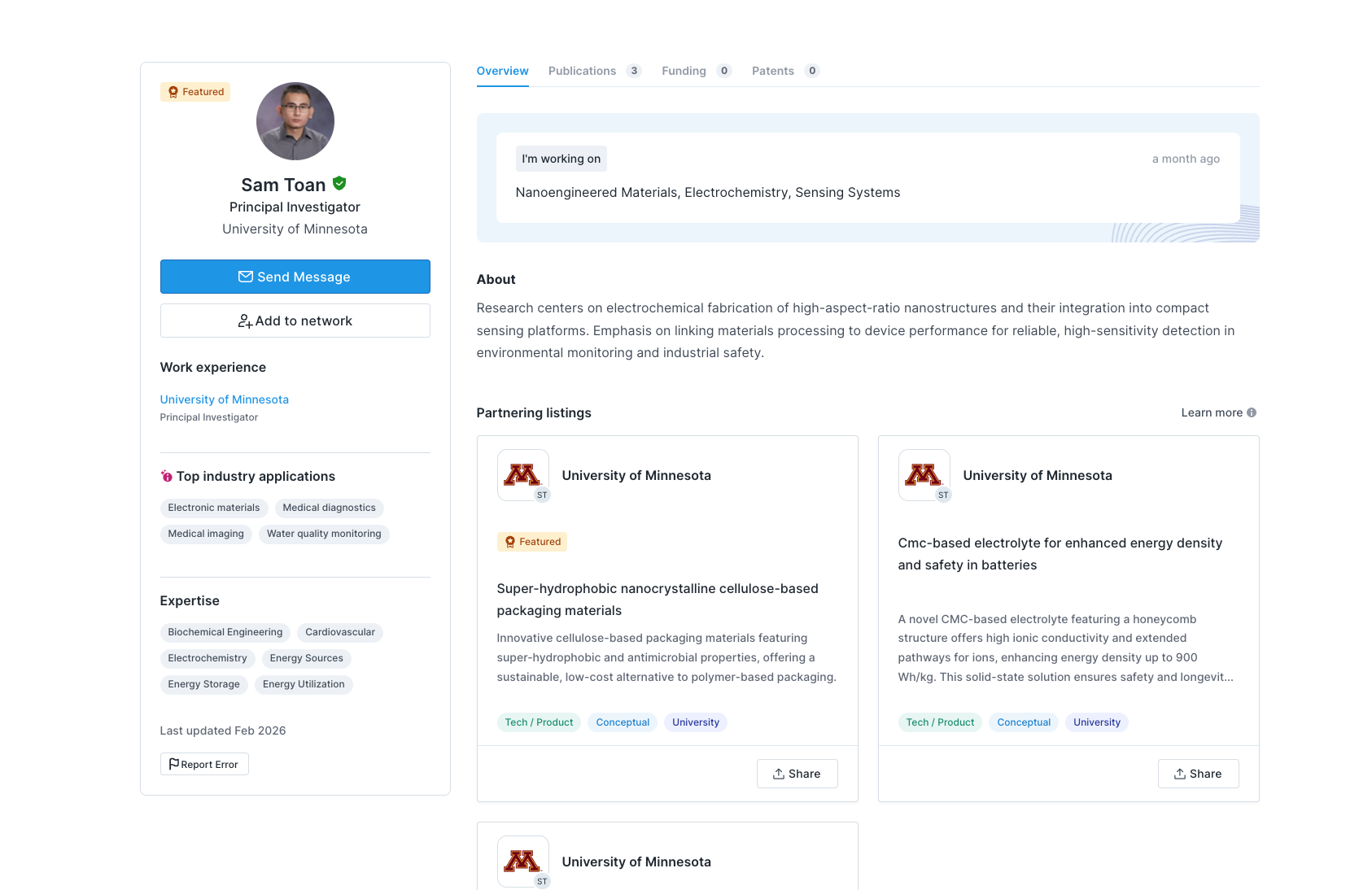
What's included:
Priority placement in search results, solution feeds, institution pages, and email digests
A Featured badge on your listing
Support for attachments (spec sheets, one-pagers, case studies, and other supporting documents)
Related resource links displayed alongside your listing
How to get a featured listing:
Featured listings are managed by the Halo team. To get started, email support@halo.science and we'll help you get set up.
Once your listing is featured, you can also share supporting documents with us — such as spec sheets or one-pagers — and we'll attach them to your listing on your behalf.
Note: For university researchers and faculty: Featured listings are purchased and managed at the university level. If you'd like one of your listings featured, reach out to your university administrator — they're the ones who purchase featured slots and decide which listings to promote.
Where to find partnering listings
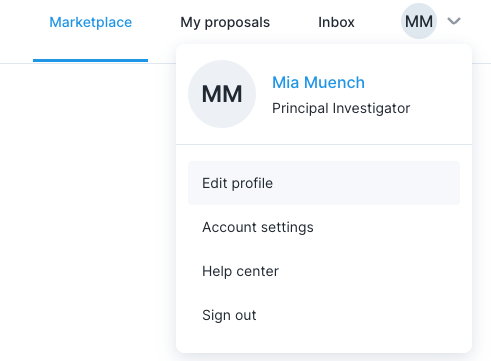
You can create and manage partnering listings from your profile:
Click your profile icon in the top-right corner of the page
Select Edit profile
Scroll to the partnering listings section at the bottom of the page
Click Add listing to get started
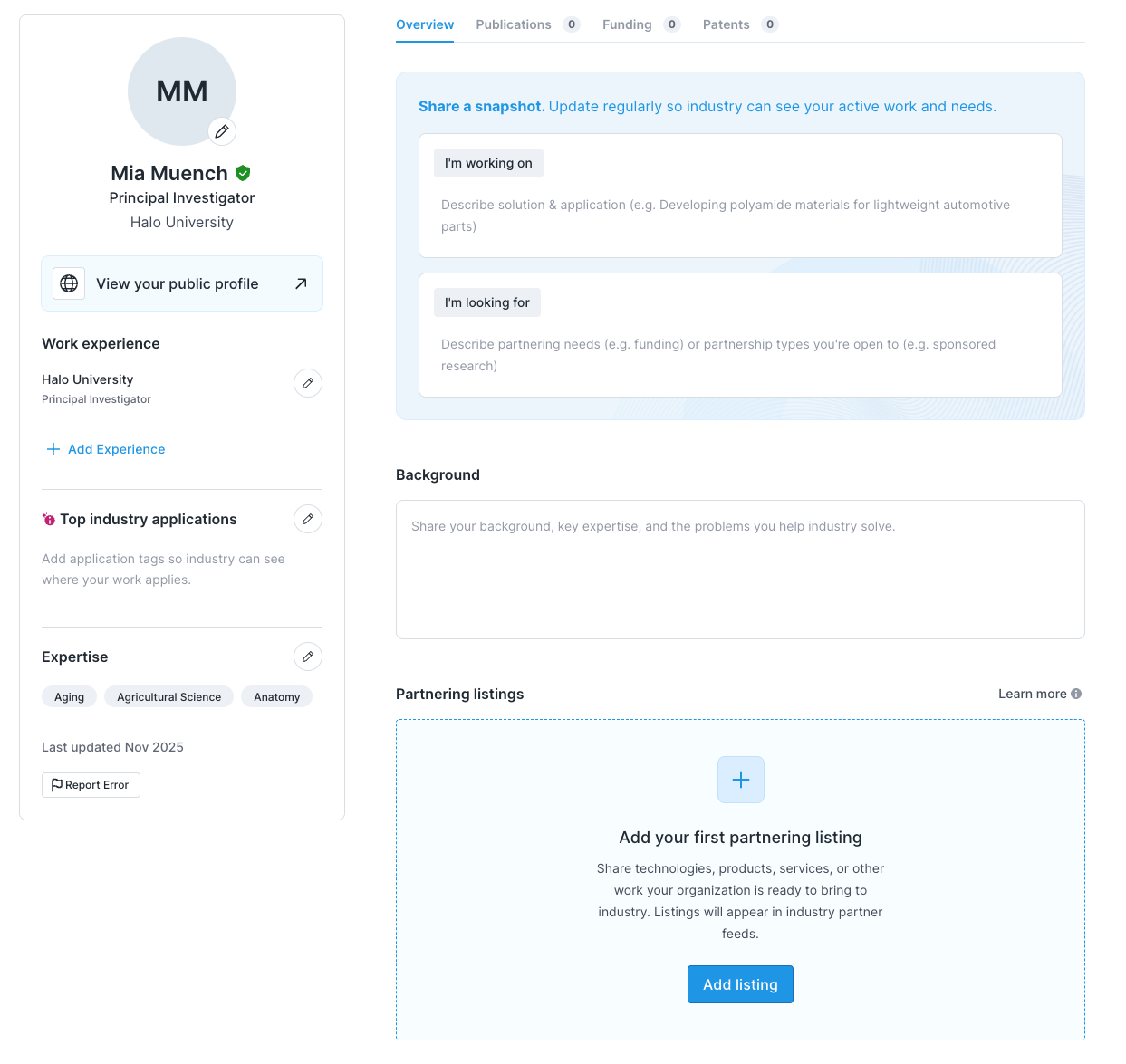
You can always return to Edit profile → partnering listings to:
View existing listings
Edit a listing
Create additional listings
How to create a partnering listing
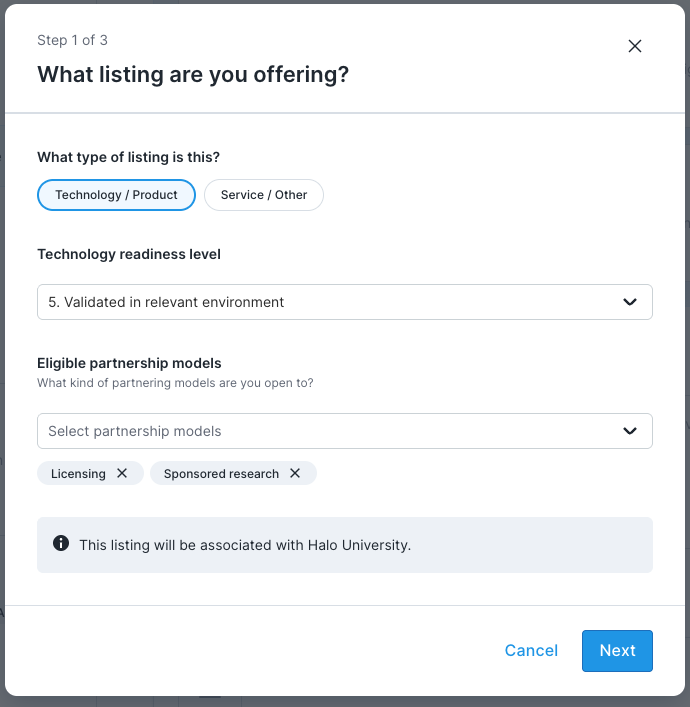
Step 1: Choose listing basics
Choose a listing type:
Technology: A project, product, or IP-backed innovation you’re ready to license, sell, or co-develop. How to write a technology listing
Consulting service: Bespoke expertise you apply to a partner’s problem, such as consulting, design, or development work. How to write a consulting service listing
Facilities & testing: Equipment, lab space, testing, or pilot-scale infrastructure partners can access or book. How to write a facilities and testing listing
Grant collaboration opportunity: An open call for partners to co-apply for funding or get involved as a supporting participant. How to write a grant collaboration listing
Select the appropriate Technology Readiness Level (TRL)
Choose the partnership models you’re open to
All listings are automatically associated with your organization.
Step 2: Describe your listing
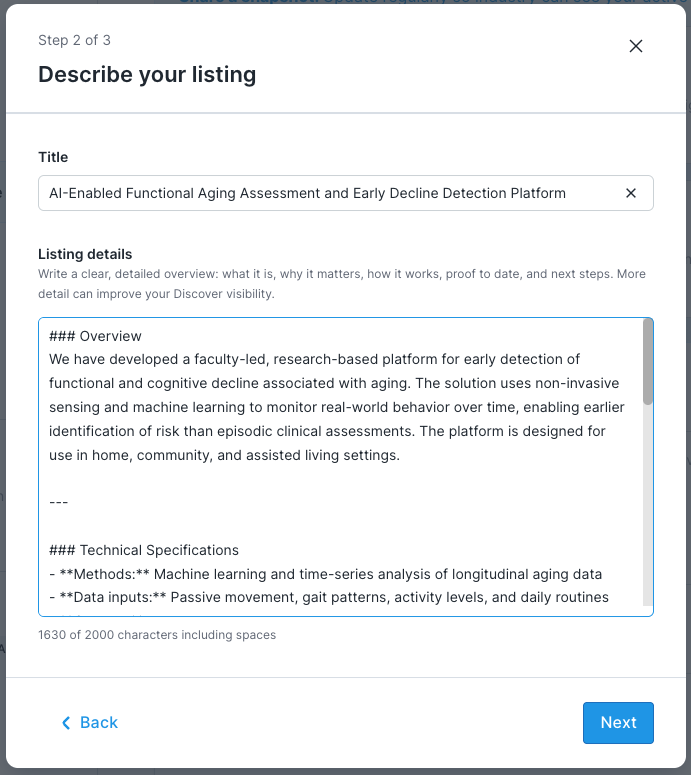
We recommend a short, structured description that includes:
Overview – What it is and why it matters
Technical specifications – Key capabilities or differentiators
TRL and validation – Current maturity and proof to date
Next steps – What partnership could look like
Step 3: Add applications
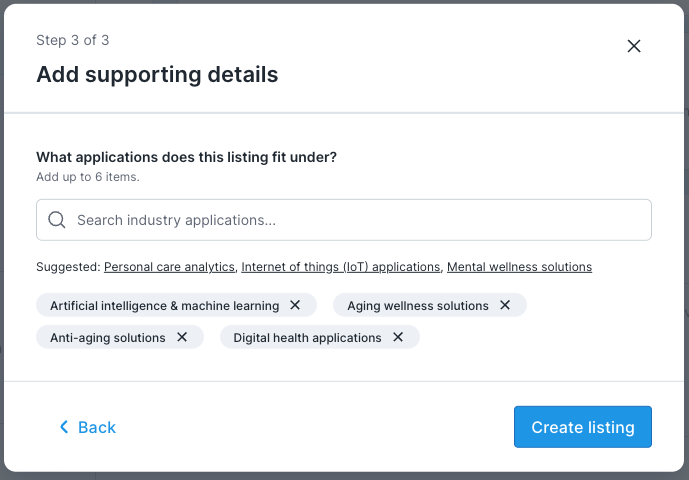
Select up to six industry applications to help your listing appear in the right partner feeds.
Step 4: Publish
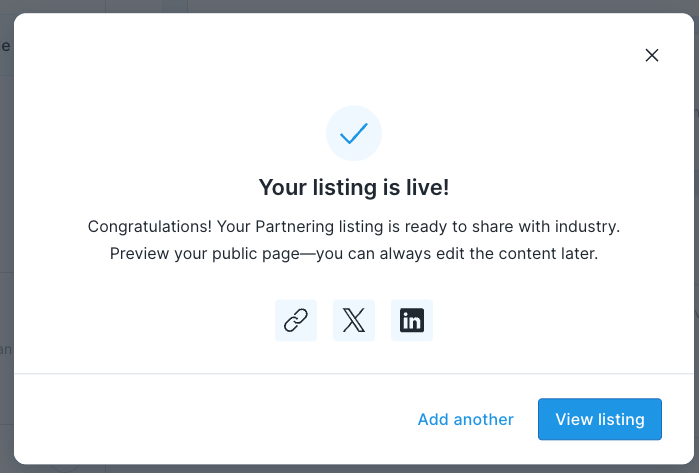
Click Create listing to publish. Once live, you can view it on your public profile, share it externally, or edit it at any time.
Writing effective partnering listings
Industry partners are often short on time. Use clear headings and bullet points so your listing is easy to scan.
Recommended sections:
Overview
Technical specifications
TRL and validation
Partnership opportunities
What to include changes by listing type. For a structure that works for each type, with real listings as examples, see How to write a strong partnering listing for each listing type.
What to avoid in your solution listing
Your listing is how sponsors find you through Halo's Discover search — the more context you provide, the more likely your work surfaces for the right opportunity.
Please refrain from:
Gatekeeping your description. Avoid "contact for details" or withholding information until an NDA is in place. Share as much non-confidential detail as possible upfront — what it does, how it works, what problems it solves.
Copying raw patent or technical text. Legal language and patent claims are not descriptions. Write in plain terms.
Writing a cover letter or cold pitch. Your listing is indexed across the platform, not submitted to a specific company. Skip the formal opener and pitch framing.
Being vague or generic. Describe the specific technology, method, material, or capability you're offering — not what you're willing to do or what category it falls into.
Announcing future work. List what you have, not what you're planning to build or file.
Listing outcomes without mechanism. Effects and applications without any explanation of the underlying technology don't give sponsors enough to evaluate fit.
Using Markdown for formatting
The listing details field supports Markdown, which is a simple way to format text using a few extra characters while you type. You don’t need to learn anything new—just think of it as a way to tell the page “this line is a heading” or “this should be a bullet.”
If you’ve never used Markdown before, that’s okay. Most listings only need the three examples below.
1. Headings (section titles)
Headings help break your listing into clear sections.
Use
##for main section headingsUse
###for sub‑sections within a section
What you type:
## Overview
### Technical specifications
How to think about it:
##= bigger section title###= smaller section title under it
You can use just ## everywhere if you prefer—sub‑sections are optional.
2. Bullet points
Bullet points make your listing easier to scan.
What you type:
- Key feature one
- Key feature two
- Key feature three
Each line that starts with - becomes a bullet point automatically.
3. Bold text
Use bold text to highlight important information like results, readiness, or differentiators.
What you type:
**TRL 6 validated in pilot environment**
Using Markdown keeps your listing clean and readable, making it easier for industry partners to quickly understand what you’re offering. The formatting will be applied automatically when your listing is published.
Managing your listings
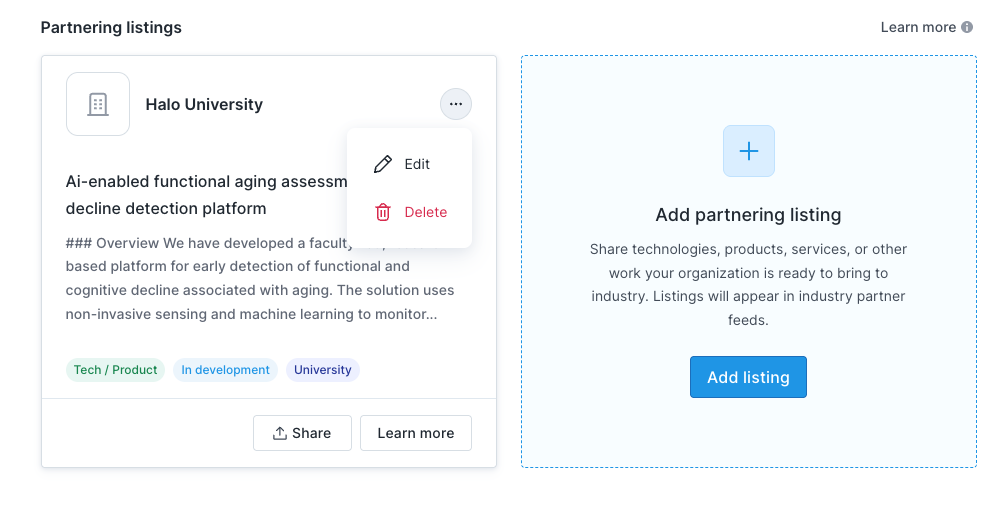
You can edit, view, or create new listings at any time by navigating to Edit profile → partnering listings.