PulseChecks
Last updated: November 9, 2026
How to respond to a PulseCheck
What is a PulseCheck?
A PulseCheck is a brief need posted by a company on Halo. They’re exploring a topic and want to quickly find out who in the network might be relevant.
If a PulseCheck shows up in your digest, Halo’s matching identified you as a potential fit. The company’s name is often hidden at this stage; they may have chosen to keep their identity confidential while they explore.
How to find a PulseCheck
You can find PulseChecks in two places:
The Marketplace. PulseChecks appear in the same list as partnering requests. Instead of a deadline, a PulseCheck card shows “1-click PulseCheck.”
Your digest email. When Halo matches a PulseCheck to your expertise, it’s included in your digest with a direct link.
Either way, clicking opens the PulseCheck’s own page.
The PulseCheck page
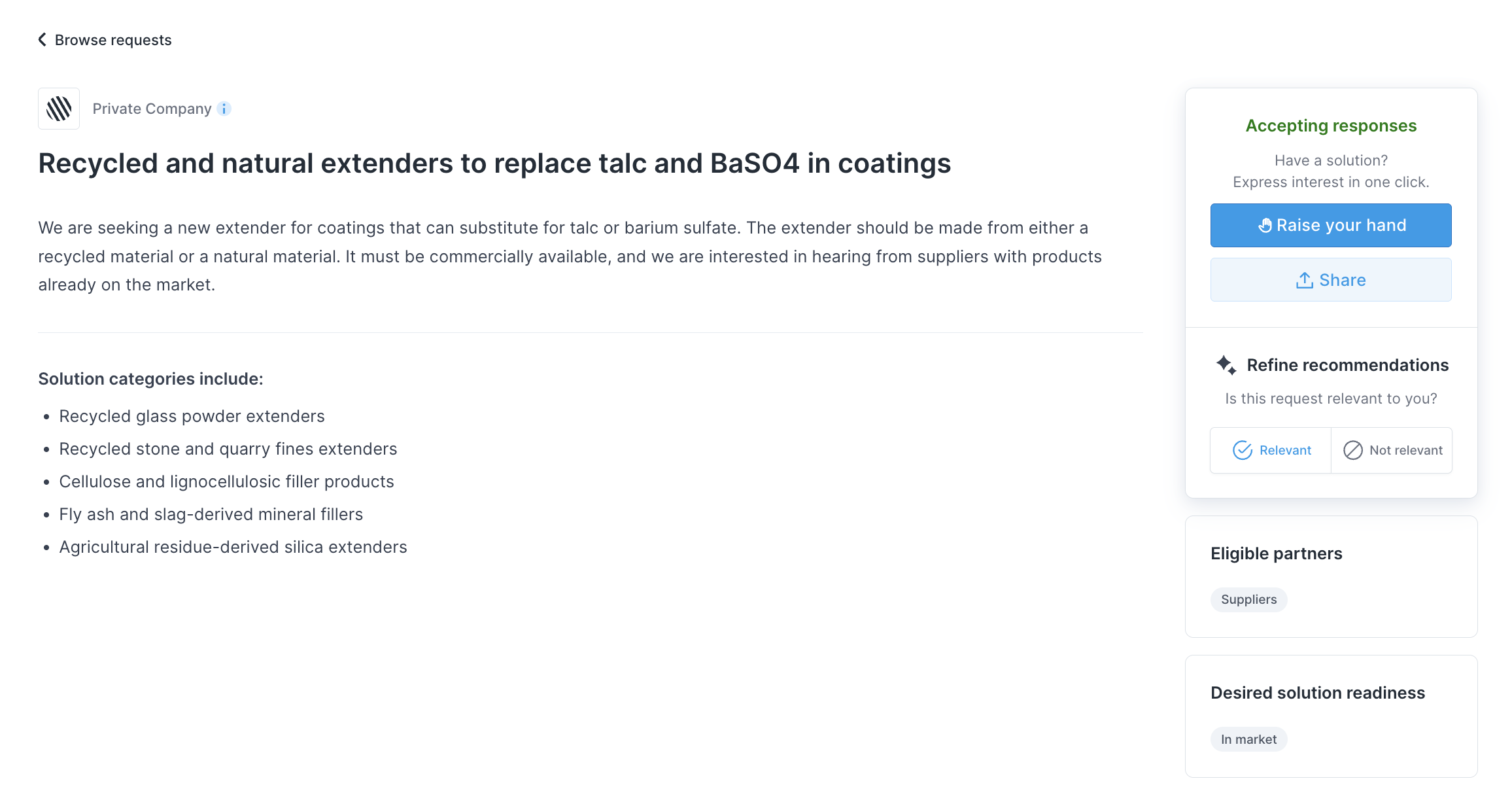
Each PulseCheck has its own page with the company’s title and description of their need. Anyone can view it, including people who aren’t logged in, so you can share the link with a colleague who might be a better fit.
From the page, you can:
Click Raise hand to respond
Mark the PulseCheck Relevant or Not relevant. Marking it Not relevant removes it from your future digests.
What responding means
Responding to a PulseCheck is a low-commitment signal — you’re raising your hand to say you might be relevant. You’re not submitting a proposal or committing to anything. The company sees your profile and decides whether to reach out. There’s no obligation on either side, and the company doesn’t send formal declines.
How to respond
Click Raise hand on the PulseCheck page. You’ll be asked to briefly describe why you’re relevant to the need. Keep it short and specific — a sentence or two on what you work on and how it connects to what they’re looking for is enough.
You don’t need to prepare a detailed write-up. The goal is to give the company enough context to recognize a potential fit, not to pitch your work. Since the company decides from your profile, make sure it’s up to date.
What happens next
After the PulseCheck closes, the company reviews the profiles of everyone who responded and decides who to contact. If they reach out, you’ll get a message through Halo.
A few things to know
PulseChecks are open for 2 weeks, then automatically close. You can only respond while one is active.
There’s currently no way to view or edit your response after submitting it. We’re working on features to give innovators more visibility into their PulseCheck activity.
The company may have kept their organization name hidden (Private Company). If they choose to engage with you, they’ll identify themselves at that point.