Finding and Applying to Opportunities on Halo
Last updated: November 9, 2026
Course Overview:
This course walks innovators through how to discover opportunities from industry partners and submit proposals directly through Halo. You’ll learn how to navigate the Marketplace, evaluate opportunities, and manage your proposals from application through review.
What You Will Learn:
By the end of this course, you will be able to:
Browse and search the Marketplace to find relevant opportunities from corporate R&D partners
Filter requests by technology type, partnership model, and eligible partner criteria
Review the full details of a request, including requirements, benefits, and deadlines
Use the Q&A section to ask questions and share opportunities with colleagues
Submit a proposal using Halo’s 5-step Easy Apply process and save your progress along the way
Track the status of active and archived proposals through My proposals
Browse industry partner pages and follow organizations
Communicate with industry partners through the Halo inbox
Finding opportunities in the Marketplace
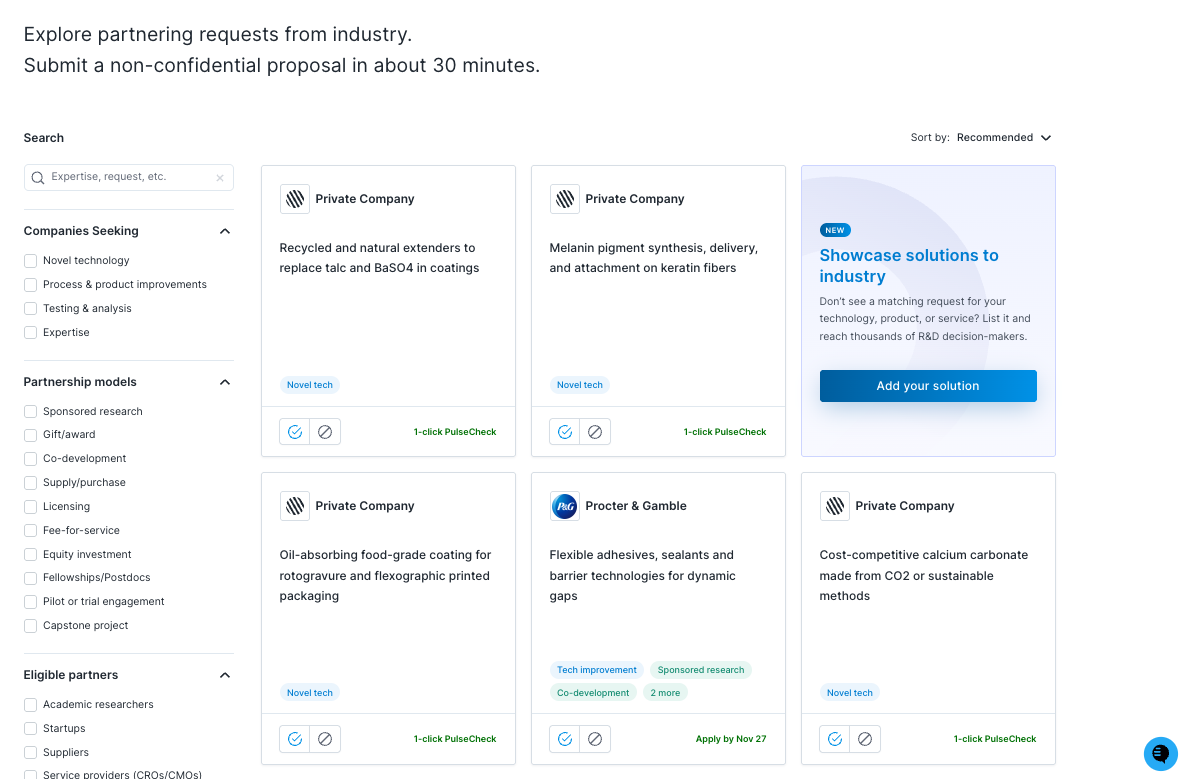
The Marketplace has two tabs:
Respond to requests (default): active partnering requests and PulseChecks you can respond to
Find industry partners: browse companies on Halo
Use the search bar and filters on the left side of the page to narrow requests by keyword, technology type, partnership model, and eligible partner criteria.
PulseChecks in the Marketplace
PulseCheck cards appear in the same list as partnering requests. Instead of a deadline, they show “1-click PulseCheck.” Click the card to open the PulseCheck and raise your hand if your work is relevant. Read more about PulseChecks
Reviewing a request
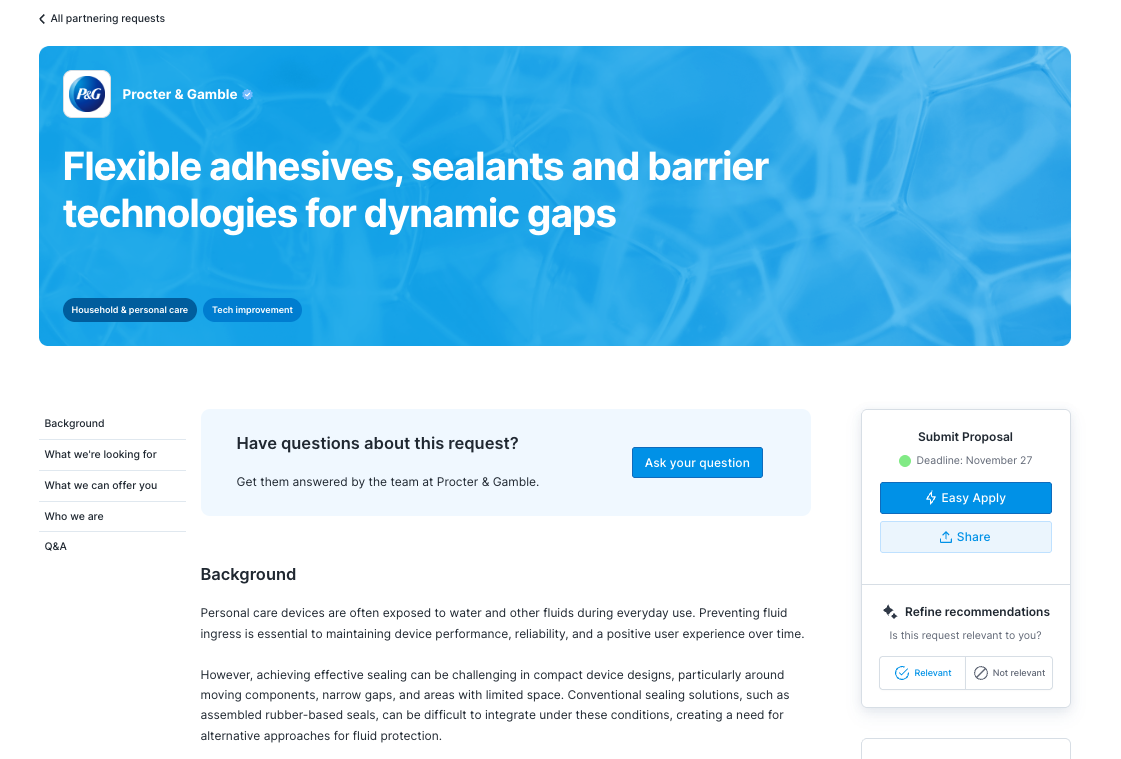
Each request page has three parts:
Left sidebar: jump to any section of the request: Background, What we’re looking for, What we can offer you, Who we are, and Q&A.
Center: the full request, including the problem, requirements, and benefits.
Right panel: the Submit Proposal box, with the deadline date, the Easy Apply button, and a Share button to send the request to colleagues.
Have a question? Scroll to Have questions about this request? and click Ask your question. Questions and answers are visible to everyone viewing the request, so don’t include confidential information. How to use the Q&A forum
Submitting a proposal with Easy Apply
Click Easy Apply in the right panel to open the proposal form. A progress bar at the top shows where you are in the five steps.
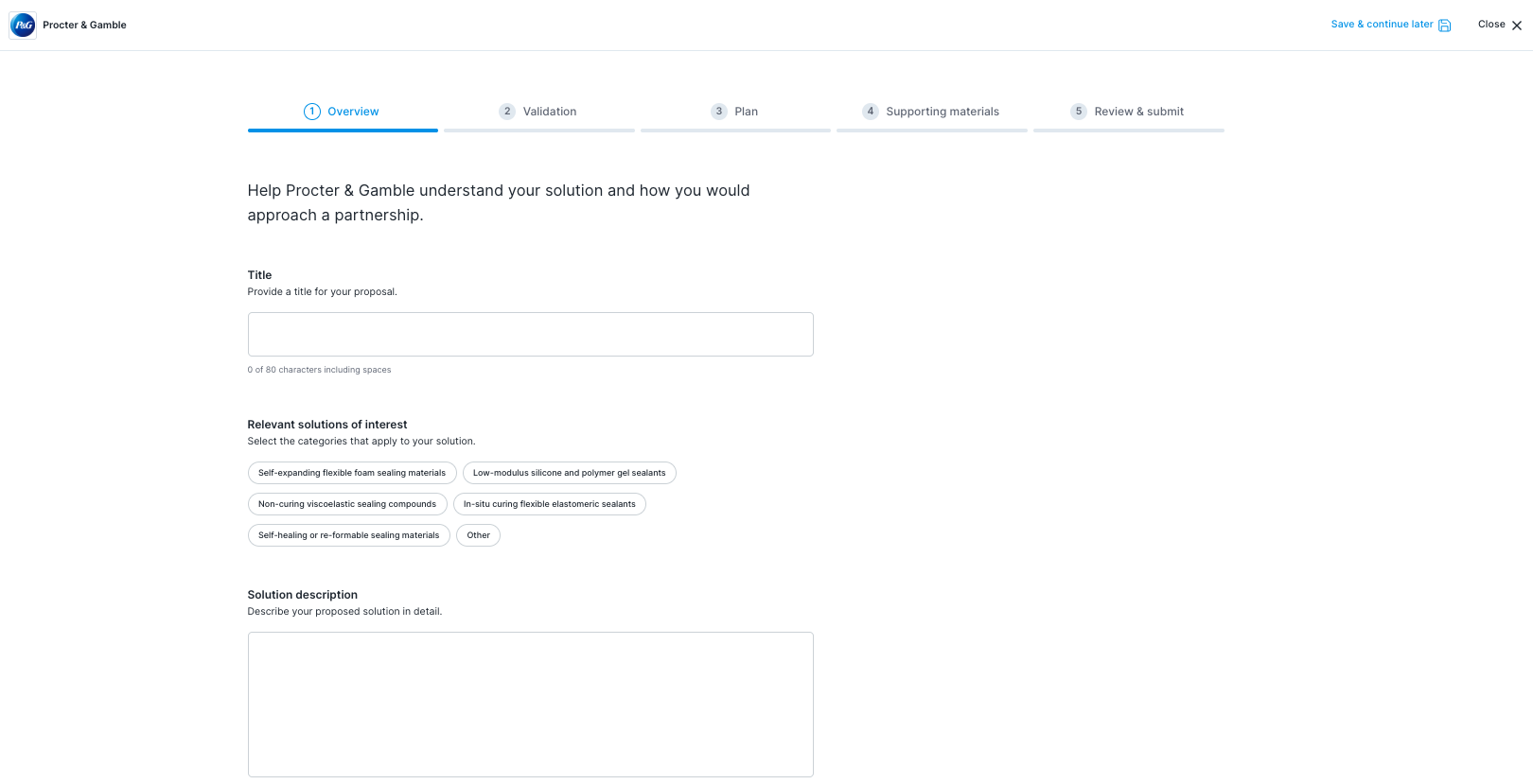
You don’t have to finish in one sitting. Click Save & continue later at the top right to save your progress and come back to it before the deadline.
Step 1: Overview
Title (80 characters max): a short, specific name for your proposed solution
Relevant solutions of interest: select the categories from the request that your proposal fits
Solution description (825 characters max): what your solution is and how it works
Rationale: why your solution is a strong fit for this request
Plan around the character limits before you start writing. Drafting in a separate document first makes it easier to trim.
Step 2: Validation
Show how your solution meets each of the request’s must-have requirements. If you can’t fully meet one, explain why your solution is still relevant or how you’d close the gap.
Step 3: Plan
Describe your research or delivery plan: what you’d do, in what order, and what each stage would show.
Step 4: Supporting materials
Add your most relevant publications, patents, and grants, especially those tied to the problem the company is trying to solve.
Step 5: Review & submit
Check every section, then submit. Submitting a proposal creates no contractual obligation, and you’ll get an email confirming the industry partner’s estimated response timeline.
After you submit
Track your proposals any time from My proposals in the top navigation bar. The industry partner reviews proposals directly and will advance or decline yours. If you’re selected as a finalist, they’ll reach out about next steps. What is the submission process?